Barion Pixel
Back to top
  • Your thermal pad supplier
  • Shop & shipment across the whole European Union.
3060 Ti Gigabyte

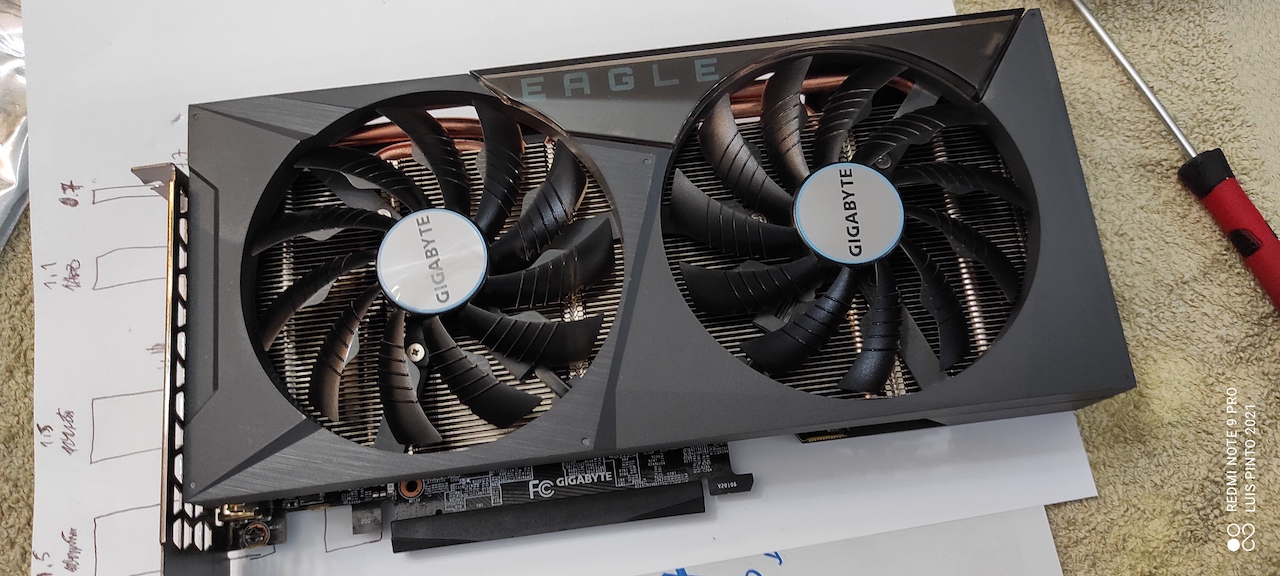
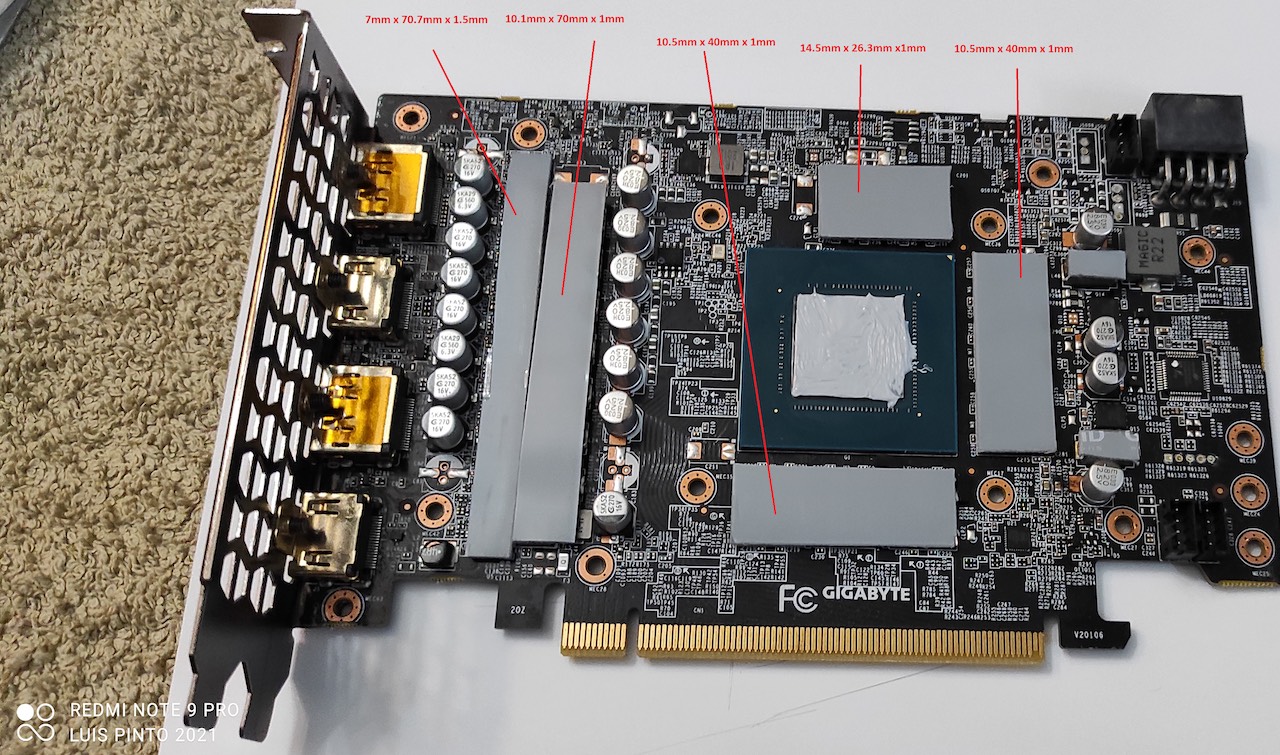
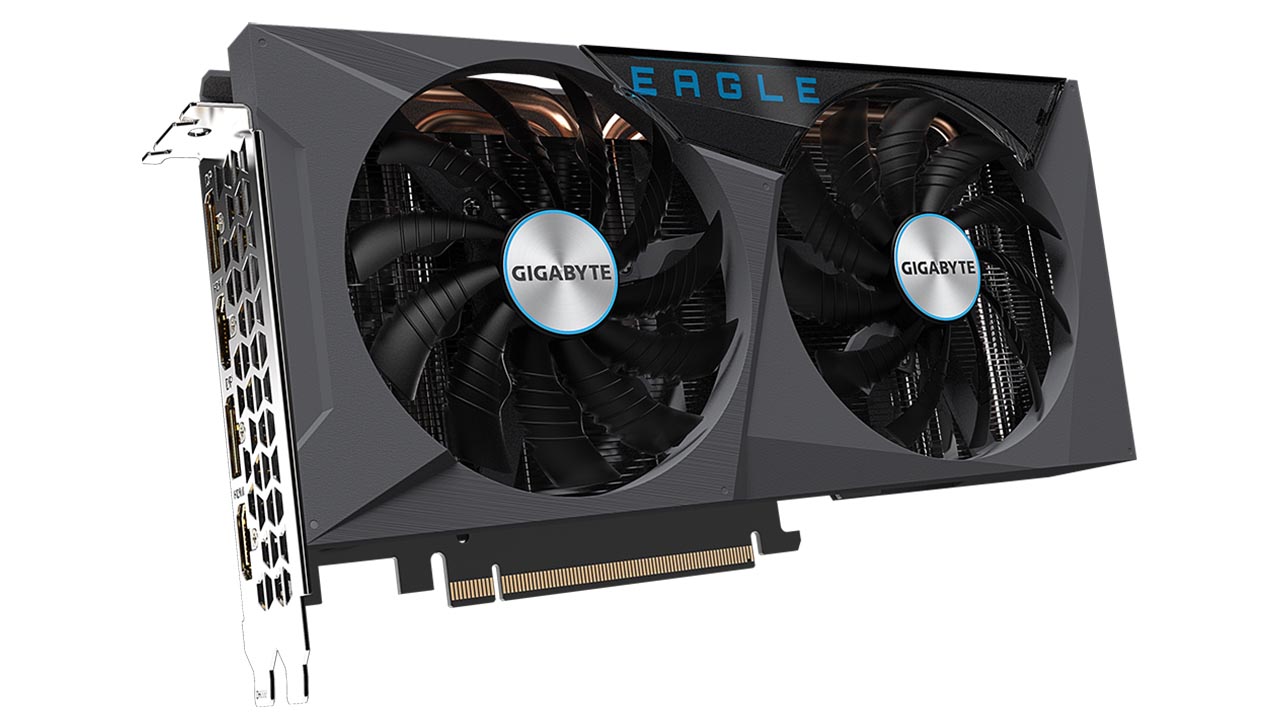
GIGABYTE – GeForce RTX™ 3060 Ti EAGLE OC 8G thermal pad sizes

You will need at least one pack of 80x40mm of each required size.

Picture and info credits goes for Luis Pinto, thanks!

VRAMs, VRMs:80x40x1mm
Pads on the side:80x40x1.5mm
Source:Luis Pinto

Sizes guide

  • The scrissor sign next to a size means it can be cut out from that slice of thermal pad. It is not the actual size! Example: 80x40x2mm
  • One dimension size means it’s the thickness of that pad. Example: 1mm
  • Two or three dimension sizes – with no scrissor sign – means it’s most probably an actual size. Example 100x14x1.5mm

About sizes

Sizes you find here come from various sources. Most of them reported by my clients whom successfully replaced their GPUs’ factory thermal pads with high quality aftermarket pads – getting significant results in their temperature drop. Some of these sizes are actual measurements and others just collected from random users on such websites like Reddit, YouTube or official / unofficial forums.

Do your own research

Please note that I cannot take any responsibility for the sizes appearing here. Do your own research as well before buying and replacing anything.

Tips

  • Make sure your pads and GPU die contacts well with the heatsink.
  • Always test your graphic cards and devices in controlled environment.

Share your experience

If you have more accurate information regarding the sizes or anything that worths mentioning please don’t hesitate to share us in the comment form below.

25 comments

  1. vavanjukebox

    In fact, I had only bad temperatures with 1mm on memory chips and GPU also. With 0,5mm, it’s very good.

  2. Ray

    All thicknesses of thermal pads listed above needs to be reduced by 0.5mm (1.5mm to 1mm and 1mm to 0.5mm) Vram almost immediately throttled when I followed the guide. Vram temps were significantly better when I used 0.5mm thermal pads for everything but the 7mm by 70.7mm section where I used 1mm pads.

  3. Jobeefus

    What are you using to check vram temps? It is not present in HWinfo for this card.

  4. Marco

    I recommend 0.5mm Gelid and 1mm Artic Pads on the side. I tried 1mm and 1.5mm and it got worse( Artic ).
    Gelid

    • bitvadasz

      The 1mm Arctic thermal pad is too thick. You can’t press it enough so that the cooler can sit properly on the gpu chip! Since 0.75 mm cannot be purchased, I implemented the following solution. I used Arctic 0.5mm, which I put on the cooler. I applied a thin layer of Arctic MX-5 thermal paste on top of Vram chips. After that, I connected it to the cooler. I checked and the paste ran out in a nice even thin layer on the side of the chips. I know it’s not the best solution, but in this case I couldn’t solve it any other way. There were no overheating problems in either the vram or the gpu.

  5. bitvadasz

    The 1mm Arctic thermal pad is too thick. You can’t press it enough so that the cooler can sit properly on the gpu chip! Since 0.75 mm cannot be purchased, I implemented the following solution. I used Arctic 0.5mm, which I put on the cooler. I applied a thin layer of Arctic MX-5 thermal paste on top of Vram chips. After that, I connected it to the cooler. I checked and the paste ran out in a nice even thin layer on the side of the chips. I know it’s not the best solution, but in this case I couldn’t solve it any other way. There were no overheating problems in either the vram or the gpu.

  6. Joseph

    i messed with mine and i wish i didnt, it overheat and crash instantly. i’ve orderd one thermalright 1.0 mm and 0.5mm also thermal grizzly Kryonaut. hopefuly it get back toghter in one safe and non-overheating piece.

  7. Helton Rosa

    Thank you very much for this post. Very Usefull for me.

  8. drewidd

    I tried gelid 1mm on all of the card, it overheated when loading games.
    I have now ordered .5mm will put it everywhere bar the above 1.5 mm. which I will leave at 1mm.
    will update.

    • Omkar yadav

      i had also tried 1mm artic pads on my gpu and that resulted in overheating ,,, is it ok to use 0.5mm pads,does anyone tried ir

  9. Terry A

    Seeing all the comments above, I decided to go straight for .5mm below what the main post says and added a tiny smear of thermal paste to the top of the chips just as a precaution.
    So that is .5mm on the memory & VRMs, and 1mm on the other smaller chips.
    I Fired up and stress tested for over an hour with OCCT and maxed out at 73c for the ‘GPU Temp’ and 88c for the ‘Hot Spot’.
    Power draw hit 199.81w and the card never triggered the thermal throttle once.
    I then Let FurMark hammer it for an hour with an average 134fps @ 1080p and temps of 70c core & 83c HotSpot, again no thermal throttle and pulling 199.9w.

    I would call that a success, so recommend going with the thinner specs as discussed above.

  10. SKLZ

    Just replaced the pads and thermal paste on my nearly 4 year old Eagle OC LHR card.

    I used 0.5 mm pads everywhere apart from the far left pad where I used a 1mm pad. Dimensions posted in the photo are correct but thickness in the photo does not fix the 100c+ hotspot issue !!!

    Using the thinner pads and a non conductive thermal paste for the die dropped full torture testing on Furmark from 90c on the GPU and 100C+ on the hotspot down to 70c on the gpu and 80c on the hotspot.

  11. TOANVU

    I confirm that for my Gigabyte 3060 Ti Eagle OC 8G Rev 2.0, replacing the thermal pads with 0.5mm for VRAM and 1.0mm for VRM resulted in stable operation. The original manufacturer pads (1.0mm and 1.5mm) left noticeable dents on the VRAM and VRM pads, so I believe 0.75mm would be the best choice for VRAM.

    After replacing the pads, the hotspot temperature in a stress test dropped from 105°C to 80°C.

  12. Alex

    Reduce all the pad sizes by .5mm put a thin layer of paste on your vrams. On the cooler where vrams meets at, remove that plate and apply thermal paste between that plate and the cooler. find you 4 washers to put behind the 4 tension screws for the cooler. i used arctic tp-3 pads and had amazing results.

  13. Bartek

    I used 0,5mm thinner pads as marked below than a OP and its unbelievable how good it works. Before: GPU usage 100% most of the time, max core temp 86 celsius and 106 on hotspot. After changing pads and paste: GPU usage 65%, max core temp 60,1 and hotspot on 71,4. I used GELID 0,5 and 1,0mm and thermal grizzly on core. The 2 small thermal pads on the far right are useless- theres no radiator they can squezze to.

  14. Harijs

    Same as other guys, I used 0.5mm and 1mm pads.

    Before: GPU usage 100% but thermal limit kicks in. Core temp 86 celsius and 106 on hotspot. Power around 150w.

    After: Core temp 82 celsius and 96 on hotspot. Power around 199w. Thermal limit is not reached

  15. Gene Etcom

    Hello, on a Gigabyte RTX 3060 TI WINDFORCE rev 1.0, when using 1mm thermal pads on the VRMs and sides, the GPU temps in the FurMark test was 76°C and the hotspot temps was 105°C. Simply changing the VRM thermal pads to 0.5mm = new GPU temps 65°C and hotspot temps of 77°C. All thermal pads were STEJAR and the thermal paste was MX-6

  16. Motyq

    Same as others I used the 0,5mm and 1mm pads.
    Two of them in the size 80x40mm are sufficient (Used Gelid GP-Extreme from AliExpress)

    For the GPU chip I have used a ptm7950 pad from AliExpress.

    Before (Furmark test):
    After just 1,5 minutes: Core 85*Celsius, HotSpot 105*Celsius, Fans spinning like on a jet (up to 2900RPM) and temp limit reached

    After (Furmark test):
    After 15 minutes: Core 78*Celsius, HotSpot 88*Celsius, Fans at 1900RPM. Power at 199W.
    My case is not very well ventilated and cramped in a TV cabinet.

  17. Lauri

    So, I tested many thermal pads due mis information and not understanding 2 fan GPU. My best advice is to undervolt it too 1.000v @ 2040mhz what actually keeps this GPU cooler( i get like 5-7c drop). It will never be cool becouse of 2 fans even with 6 fans blowing, twin tower CPU cooler in mesh case(talking about myself).

    I generally agree people here, but testing like 3 diffrent pads here is my conclusion.
    My 1st use was Thermal Grizzly 1mm minus pad 8. Manufacturer says its compresses 6/10 score on website. When removed it had a okay mark on pad. Temps were fine.
    My 2nd use was also TG Minus pad 8 and used 0,5mm. Even barely any mark. Temps were fine actually fine too dit not really compare (did not get hot for i just say)
    So my 3rd try I still didnt get temps i wanted and my front fans speeds got messed up so i started looking at videos in YT again and i notice how much original Gigabyte pads are compressed when removed on video. So it got me thinking…i need pads that compress more. So i got TG Minus pad pro 1 mm which even TG themself say “Outstanding thermal conductivity and exceptional compressibility – at a slightly higher price.” compress score 8/10 on website. After spending 30€ on that temps were still pretty much the same. But, what happened when i tried to open it for next thermal paste change. Minus pad pro 1mm compressed TOO MUCH and plate and cooler got quite a bit stuck and ripped apart some pad. I put it back the same actually twice (2 times) by now and temps are still good.

    Sence 1mm minus pad pro is too much compression(pad literally looks like 2mm) i reccomend u to go with 0,5mm for minus pad pro or 1mm Minus Pad 8/Minus Pad Basic from Thermal Grizzly. U can also use 0,5mm, but like most people say with slight smere of thermal paste is reccomended which i personally did not do.

    NB! I had this gpu for around ~3-4 years and i bought it used for 1 year in mining PC i had to change both fans becouse bearing noise. Fan blade codes original PLD10010S12H and “upgraded( not sure if true) T129215SH. I order both from aliexpress they looked exactly same apart from the manufacturer label on back side. NB! Also test the new bearing before installing i read only people got “used” fans instead of new still making bearing noise.

Post a comment

Your email address will not be published. Required fields are marked *